
Cisco Packet Tracer Online
No 870 MB download, no NetAcad account, no install. Describe your Cisco Packet Tracer lab and get a working .pkt right in your browser — or practice on real Cisco IOL CLIs in the cloud.
Trusted by network engineers worldwide
See It in Action
Describe a lab, get a .pkt file — all from your browser. No Packet Tracer download required.
Build and fix Cisco Packet Tracer labs — from any browser
Generate a fully configured .pkt from a prompt or PDF, repair a broken file with AI, and do it all without installing anything.
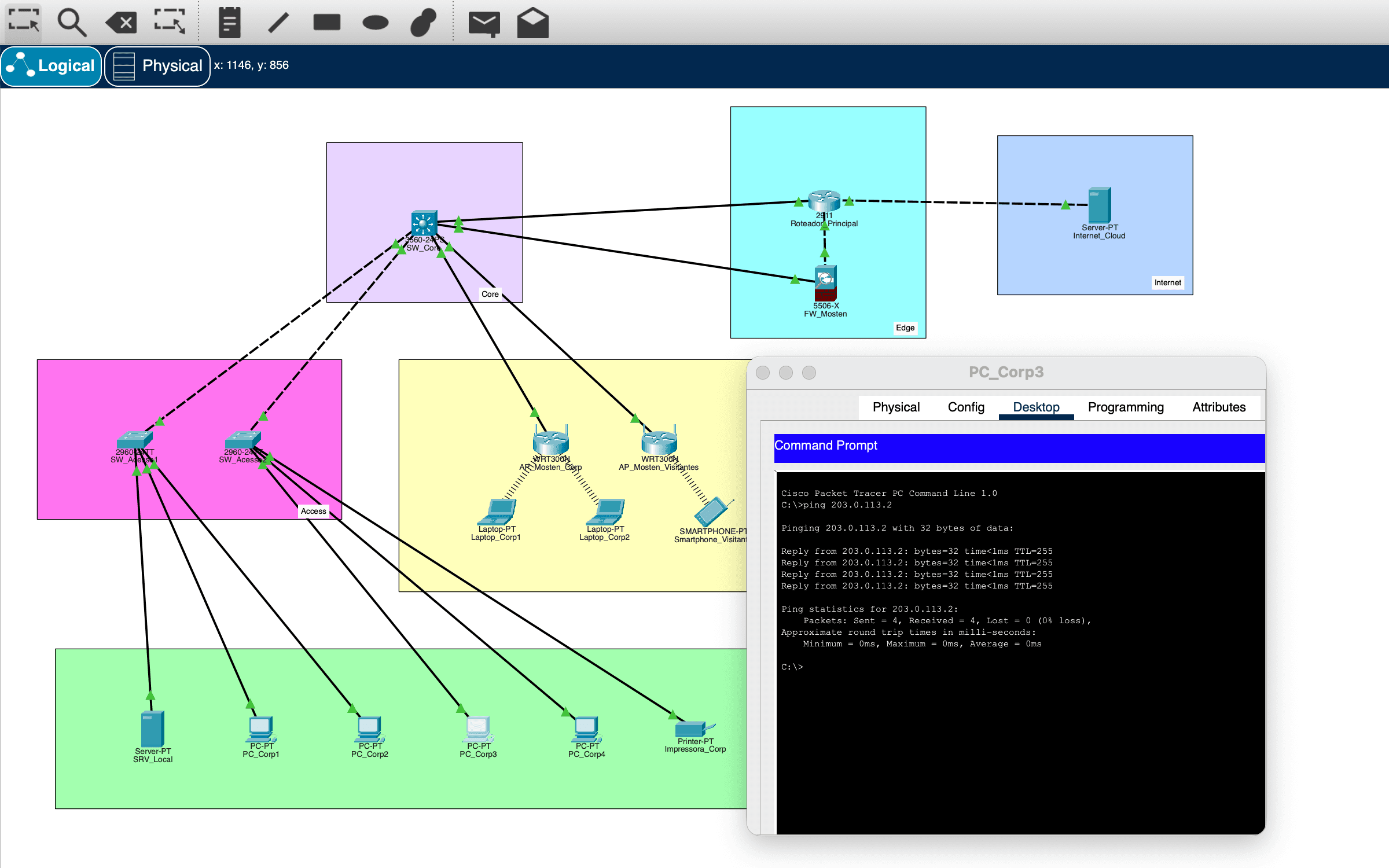
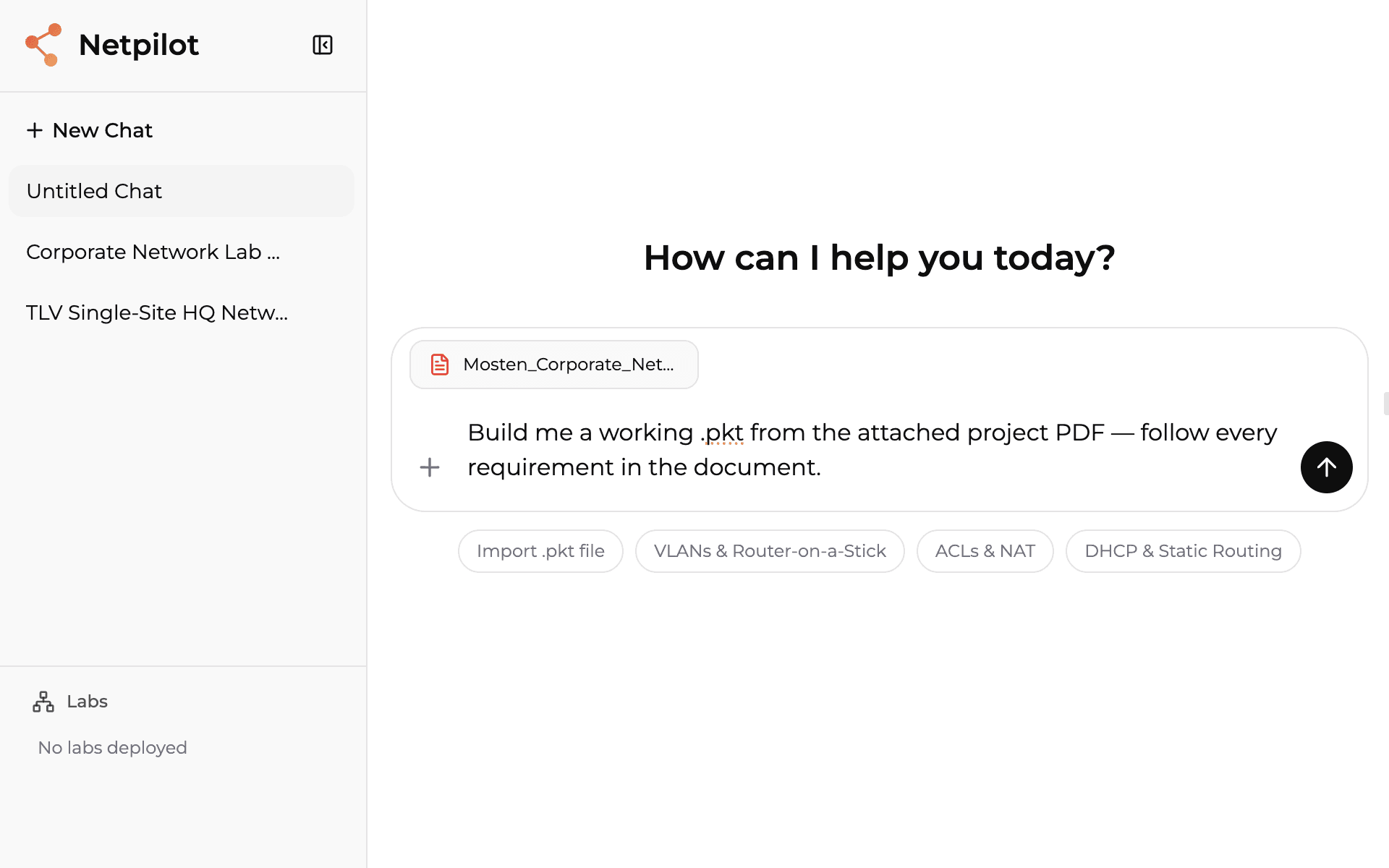
Build a .pkt from a prompt or PDF
Paste your project or attach the assignment PDF — NetPilot AI hands you a fully configured Cisco Packet Tracer .pkt file in ~2 minutes instead of days, with VLANs, OSPF, ACLs, NAT, ASA firewall rules, wireless, and IoT all set up.
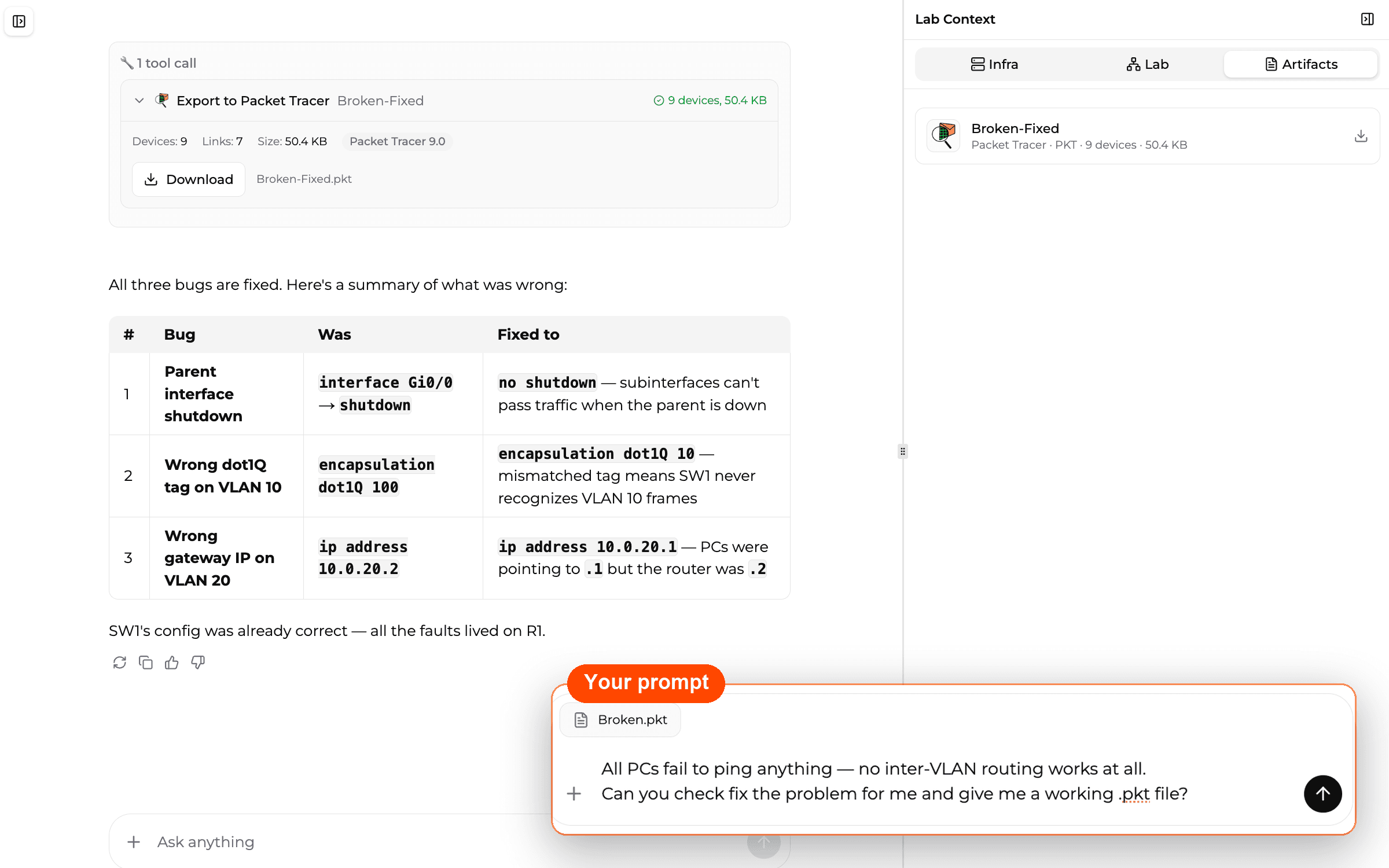
Fix a broken .pkt
Import a Cisco Packet Tracer file that won't work — NetPilot AI finds the problems, fixes the configuration, explains the reasons in plain English, and exports a working .pkt back to you.
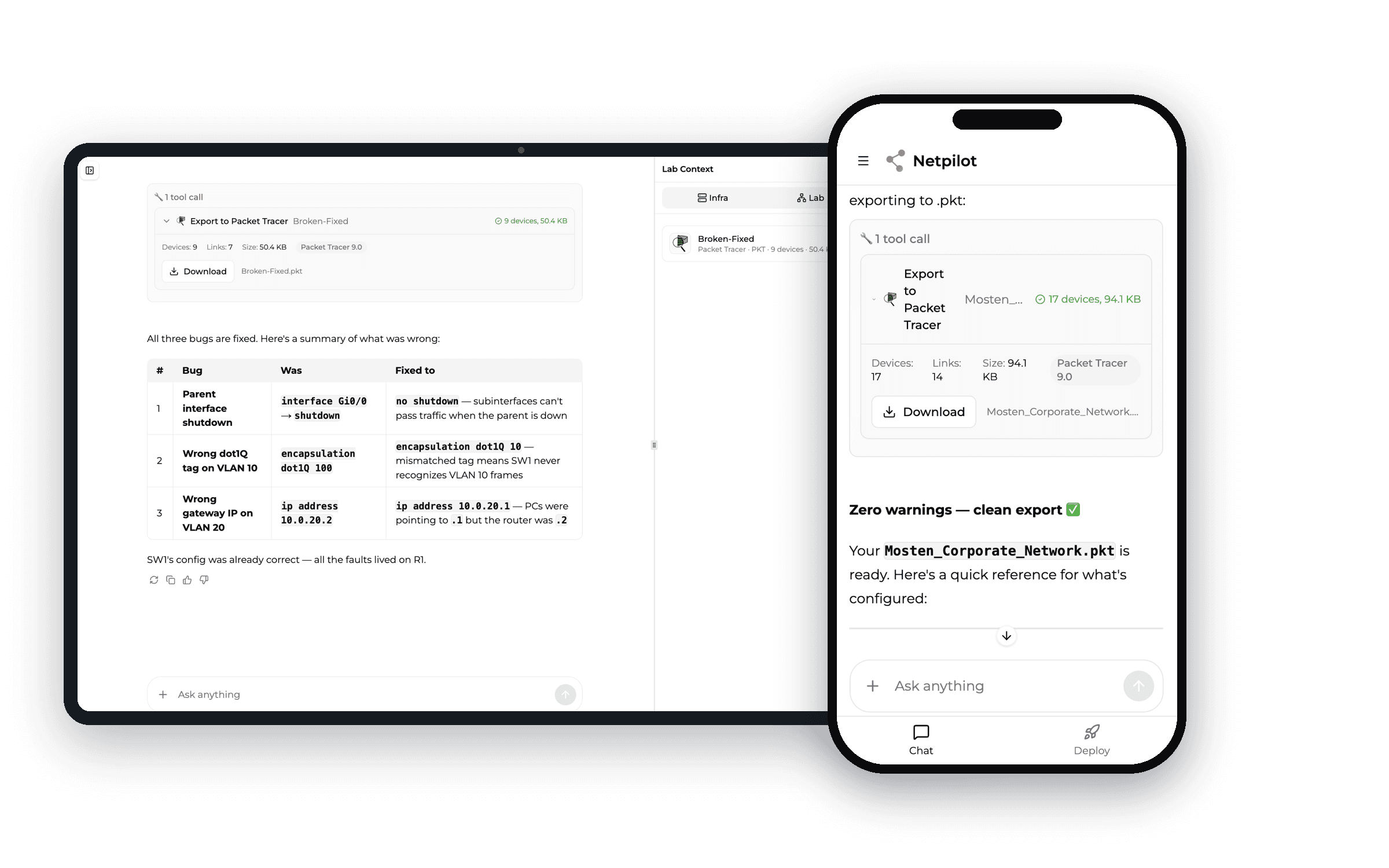
Runs on any device, nothing to install
No 870 MB download, no NetAcad account, no disk space. Chromebook, tablet, library PC, or a locked-down school laptop — if it has a browser, you're in.
Every Packet Tracer Topic — Online
From CCNA basics to advanced topologies — describe any lab and get a working .pkt file or practice on real CLIs.
Routing
- OSPF (Single & Multi-Area)
- EIGRP
- Static & Default Routing
- Inter-VLAN Routing
- Router-on-a-Stick
Switching
- VLANs & Trunking
- STP / RSTP
- EtherChannel / LACP
- Port Security
- DTP / VTP
Services
- DHCP Server & Relay
- NAT / PAT
- DNS & NTP
- SSH Configuration
- Syslog
Security
- Standard ACLs
- Extended ACLs
- Named ACLs
- Port Security
- Password Encryption
Online Packet Tracer Lab Guides
Get a .pkt file for any topic — or practice on real Cisco CLIs in the cloud.
OSPF Lab Without Packet Tracer Download
Describe 'Build an OSPF multi-area lab with 4 routers' — get a .pkt file with OSPF areas, costs, and adjacencies configured. No download needed.
Get This LabVLAN Lab on Chromebook
Create VLANs, trunks, and inter-VLAN routing from your Chromebook browser. Export as .pkt or practice on real Cisco IOS switches in the cloud.
Get This LabACL Practice Online
Generate standard and extended ACL labs with traffic scenarios. AI configures the ACLs — you verify and troubleshoot on real CLIs.
Get This LabNAT/PAT Lab in 60 Seconds
Describe your NAT requirements — static NAT, dynamic NAT, PAT overload. Get a working .pkt file with inside/outside interfaces configured.
Get This LabDHCP Server Lab Online
Configure DHCP pools, excluded addresses, and relay agents. AI generates the complete setup — open in Packet Tracer and verify with show commands.
Get This LabWireless Home Network Lab Online
Configure a Linksys WRT300N wireless router — SSID, WPA2 security, and connecting wireless PCs and laptops. AI builds it; download the .pkt or practice in the browser.
Get This LabWLC & Wireless LAN (WLAN) Lab Online
Generate a Wireless LAN Controller (WLC) lab — WLAN creation, SSID-to-VLAN mapping, and WPA2-PSK / Enterprise security. The CCNA wireless labs, no download needed.
Get This LabIoT Smart Home Lab Online
Build an IoT smart-home topology — Home Gateway, sensors and actuators (motion, smoke, fan, door), Wi-Fi registration, and smartphone control. Generated from a description, in your browser.
Get This LabComplete CCNA Lab Set
Describe any CCNA 200-301 lab scenario. AI generates the topology with all protocols configured — faster than building from scratch in Packet Tracer.
Get This LabPacket Tracer Online Options Compared
Every way to use Cisco Packet Tracer content without a desktop install.
| Feature | NetPilot | PT Desktop | PT Anywhere | PT Mobile |
|---|---|---|---|---|
| Works in Browser | Yes — any browser, any device | No — 870 MB desktop download | Yes — limited functionality | App only (Android/iOS) |
| Real Cisco IOS | Yes — real Cisco IOL CLIs | Simulated (fine for CCNA basics) | Simulated (fine for CCNA basics) | Simulated (fine for CCNA basics) |
| Exports .pkt Files | Yes — fully configured | Native format | No | Limited |
| AI Lab Generation | Yes — from plain English | No — manual only | No | No |
| Setup Time | None | 10-15 min (download + install) | None | App install |
| Chromebook / Tablet | Yes | No | Yes | Mobile only |
| Account Required | NetPilot (free tier) | Cisco Networking Academy | Open University | Cisco Networking Academy |
| Free | Yes | Yes | Yes | Yes |
| Import .pkt Files | Yes — import and modify with AI | Native format | No | Limited |
What users say
“I built my whole OSPF lab on a Chromebook — no install, .pkt downloaded in two minutes.”
“My school laptop wouldn't let me install Packet Tracer. This just worked in the browser.”
“Way faster than building the topology by hand every time.”
Frequently Asked Questions
Common questions about using Cisco Packet Tracer online
Explore Packet Tracer Resources
Cisco Packet Tracer AI Tutor
Paste your assignment — get step-by-step commands, the why explained, and .pkt export.
Cisco Packet Tracer Wireless
Build WRT300N, WLAN, and WLC wireless labs in your browser — configured and explained.
Cisco Packet Tracer IoT
Build smart home & IoT labs — Home Gateway, sensors, and conditions — in your browser.
Cisco Packet Tracer VoIP
Configure IP phones, Call Manager Express, and dial-peers in your browser.
Packet Tracer vs Real IOS
Every command and protocol where the simulator differs from real IOS.
Packet Tracer Alternative
Outgrowing Cisco Packet Tracer? See why students switch to AI-powered labs.
Free CCNA Practice Lab
Practice with AI-powered labs covering OSPF, EIGRP, VLANs, and STP.
Free CCNP Practice Lab
Level up to CCNP ENCOR & ENARSI with AI-generated lab scenarios.
CCIE Practice Lab
Build enterprise-scale CCIE topologies on real Cisco IOL CLIs in minutes.
Skip the Download. Start Understanding the Lab.
Describe any Packet Tracer lab and get a fully configured .pkt file in 60 seconds — from your browser, for free.